Digital Eye Strain Symptoms & Prevention Tips (2026)
By Naman | Digital Eye Strain | January 22, 2026
If you are reading this, odds are you’ve spent the last few hours staring at a screen. It might have been a long Zoom call, a gaming session, or just the endless scroll of feeds that don’t seem to have any bottom.
I have been there. Actually, most of us in 2026 are there.
We live in a world where our jobs, our entertainment, and even our social lives are mediated by pixels: we wake up and check our phones, work on dual monitors, wind down with a tablet or VR headset. It’s efficient, sure, but it comes at a cost. That gritty, tired feeling in your eyes at 4 PM? That dull throb behind your temples?
That’s digital eye strain, and it’s the occupational hazard of the modern era.
Being a writer who spends 10+ hours of my day in front of a display, trust me, ignoring eye strain is not an option if you want to avoid burnout in this line of business. But the fact is, you don’t have to throw away all of your devices if you want to alleviate this problem. So, let’s take a closer look at what’s going on in your eyes and, more importantly, what you can do to correct it without leaving your line of business.
What Is Digital Eye Strain?
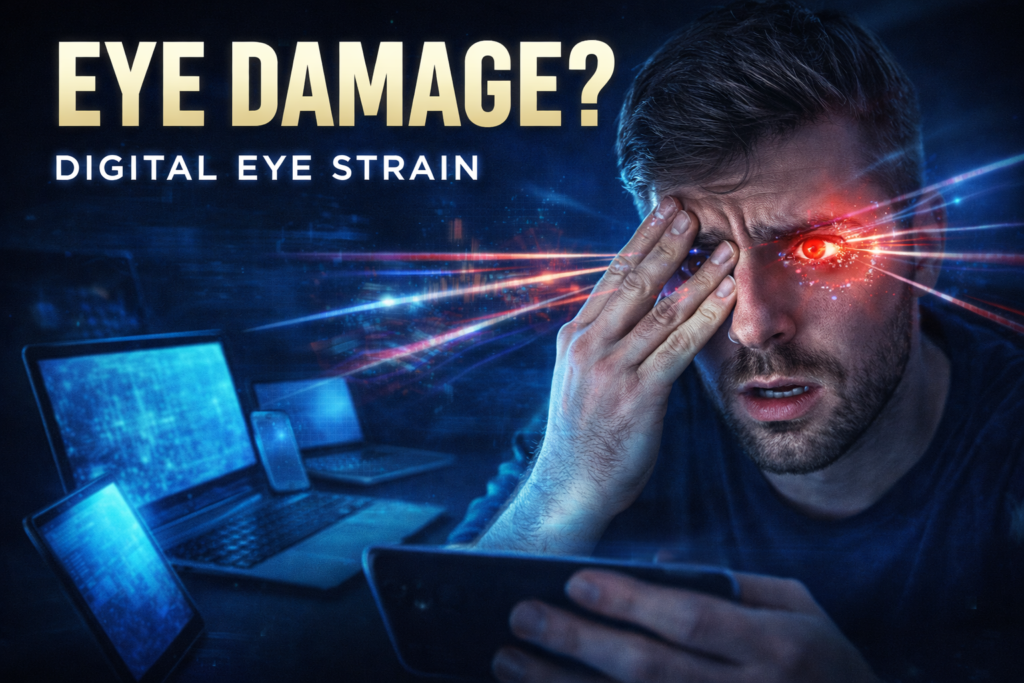
Digital eye strain, also medically known as Computer Vision Syndrome, or CVS, is a group of eye and vision problems related to near work that are experienced during or after the use of computers, tablets, e-readers, and smartphones.
Whereas reading from a book, reading from a screen automatically makes the eyes work much harder. The letters on a screen are not as sharply defined as print; the contrast is lower, and the glare from the backlight forces your eye muscles to constantly struggle to focus.
By 2026, the definition has grown somewhat. It is no longer just about computers. With AR glasses and VR for remote work on the rise, our eyes have to deal with unnatural focal depths for long lengths of time. If you’ve spent two hours in a virtual meeting room, you understand exactly the kind of fatigue I’m talking about. It’s distinct, and it hits hard.
Common Symptoms to Watch : Digital Eye Strain
How can you distinguish between digital eye strain and mere fatigue? Typically, the symptoms start following a pattern. Additionally, they may progress throughout the daytime but may go away if you take a break for an hour or two away from your technology.
Below are the most frequent red flags:
- Dry & Gritty Eyes: This is what my eyes looked like in those days when my eyelids were so red and dry due to excessive rubbing caused by allergies.
- Blurred Vision: You focus your attention away from the screen, and the room around you comes into focus in a few seconds.
- Headaches: Particularly, dull pains in the back of the eyes or in the forehead region.
- Neck and Shoulder Pain: Often a secondary consequence of leaning forward in an effort to see the screen better (and thus adopting the “turtle neck”).
- Light Sensitivity: Normal room light suddenly becomes too bright or too harsh.
- Difficulty Focusing: It feels as if you are physically exercising yourself when you have to keep your eyes open.
If you find yourself agreeing to these points, your eyes are probably trying to send you a warning signal.

Causes in Modern Lifestyle
Why is this happening now more than ever? It comes down to biology versus technology. Our eyes were designed to hunt, gather, and scan landscapes—essentially, to look at a distance. They were not designed to lock focus on a glowing rectangle 20 inches from our face for eight hours straight.
Several aspects about our 2026 lifestyle have contributed to increasing that risk:
- 1. The Blink Rate Drop Normally, humans blink about 15 to 20 times a minute. Blinking is an important activity considering that it spreads tears across the cornea to help keep it moist and clear. On the other hand, when we stare at digital screens, our blink rate drops more than halfway down, sometimes to just 5 or 7 times a minute. We are literally drying our eyes out.
- 2. Blue Light Exposure LED screens emit high-energy visible (HEV) blue light. While blue light is natural-the sun is the biggest source-staring directly into a source of it at close range creates oxidative stress in the retina.
- 3. Poor Ergonomics With the “work-from-anywhere” culture, many of us are working off kitchen counters, couches, or coffee shops with dreadful lighting and screen angles. If your screen has glare on it, or if it is positioned too high, your eyes have to strain to interpret the image.
Impact on Sleep & Productivity
Your computer eye strain does not stay in your eyes; it affects all aspects of your life.
The Productivity Drain : When your eyes are tired, so is your brain. It’s hard to focus when there’s a headache associated with dry eyes.
You begin to take more breaks, not for the purpose of rest but because you can no longer view the document because of fatigue. Your work performance will suffer because of a lack of focus associated with the lack of eye rest.
You could be stuck looking over the same piece of mail three times because the information just doesn’t seem to register in your mind.
The Sleep Thief : This is where blue light does the most damage. The blue light from your devices mimics daylight. If you are working late or doom-scrolling before bed, that light suppresses the production of melatonin, the hormone that tells your body it is time to sleep.
The result is a vicious cycle: You sleep poorly because of screen time, you wake up with tired eyes, and then you strain them further the next day. For long-term health, that’s a loop that needs to be broken.

7 Easy Prevention Techniques
There is no need to relocate to a cabin in the woods if you want to preserve your vision. Small changes to your daily routine can drastically reduce digital eye strain.
1. Adjust Your Screen Position
The distance between you and your computer monitor should be an arm’s length, or 25 inches. The top edge of your computer monitor should rest at or below your eyes. This way, you are naturally staring downward, which causes your eyelids to naturally shade your eyes, which helps decrease evaporation.
2. Correct the Lighting
Some reasons why eye strain occurs are when your screen is too bright compared to a dark room or when overhead lights reflect off your screen.
The Fix: Make the room lighting comparable in intensity to the screen. It is not recommended that you position your screen in front of a window (backlight) or in front of a window (glare).
3. Artificial Tears Application
You want to keep a bottle of lubricating eye drops in your office. By the way: when I say “artificial tears” here, I’m referring to the type of drops that are not intended for relieving redness. “Relieving redness” eye drops contain a constrictor of the blood vessels and will worsen “dry eyes.”
4. Customize Display Settings
Font size is important too. If you find yourself leaning in to read, the font size is too small. Make the text size larger and make the contrast higher too. Finally, work on the color temperature. Most modern operating systems come with a feature called “Night Light” or “Eye Comfort” mode, which adjusts the colors on the screen to be warmer (with less blue light emission) after a certain time of day. Enable this feature.
5. Conscious Blinking
Because your eyes forget to blink when scrolling through documents or Web pages, you need to do so manually. Occasionally, do a “hard blink.” This is when you shut your eyes tight for a split second in order to push the oil secreted by the glands in your eyelids to cover your eye’s surface.
6. Hardware Upgrade
Also, if you are using an old monitor, which has a refresh rate of less than 60Hz, it is time to upgrade it. In the old monitor, there is a flicker, which you may not see, but you can clearly feel it with your eyes. Monitors with a faster rate of 120Hz or above are much smoother on the eyes.. Water
7.Your eyes need fluids.
If you are dehydrated, your body will not produce adequate tear fluids. The most convenient and lowest-priced method to keep your eyes working well is to drink plenty of water.
Final Eye-Care Advice
We only get one pair of eyes. In the digital age, we treat them like machines that can run 24/7, but they are biological organs that need rest.
Digital eye strain is normally temporary, but neglecting your eyes will create chronic problems that impact your quality of life. Take it one step at a time. Elevate your monitor today. Download an app to block out blue light. Set up your timer for your breaks.
Your career dictates that you stare into the screen, but your health demands you take care of yourself. Finding the right balance is the key to survival in the digital world in 2026.
Take care of your vision—it’s the window to your world, both online and off.
Frequently Asked Questions (FAQ)
Q: Do blue light blockade glasses really help alleviate eye strain?
A: As for whether they prevent eye damage, there is no conclusive evidence, but many people swear by them for comfort. They function by blocking the harsh blue spectrums that tend to scatter easily in the air, causing a lack of contrast. If you find yourself sitting at the computer late at night, these glasses can prevent disruption to your sleep patterns even if they have nomiraculous properties for eye strain.
Q: Can permanent damage be caused by digital eye strain?
A: Not really, as digital eye strain is viewed as a temporary condition. The signs will vanish as long as you give your eyes time to rest. But if the eyes are under constant strain, then the dry eye syndrome will worsen, which may end up damaging the cornea. It is better to take action while the signs are still temporary.
Q: Dark Mode is it better for my eyes?
A: It depends on the lighting conditions you’re in. Dark Mode (white text) is fantastic for lighting-starved rooms as it puts out less light. But using Dark Mode in a optimally lighting-savored room can end up straining your eyes more, as your pupil has to work harder to let in the light, making it even more difficult to focus on the text. So, use Light Mode in the day and Dark Mode at night.
NOTE: This is for educational purposes only. Not medical advice. Consult a doctor for health concerns.